Learning the Importance of Redundancy through Example
Good evening, folks.
If it isn't my great enemy - networking. And oh boy do I have another example I'd like to teach you fine folks today.
It was a cold morning here, I had awoken to get ready to take care of my main tasks for my job. Get Hubspot running, pull up dashboards, provide support for customers, and pray someone didn't break something again...
Except it wasn't someone this time. It was a ghost in the lines. A phantom menace.
It was about 0830 when I was doing my usual of listening to my favorites. Mitch Murder, Daniel Deluxe, Volbeat, Skillet, Illenium...I am aware my music tastes are all over the place but that's another issue. And alas - it stopped. The curse of the cloud has fallen upon me again.
I checked systems. Can I perform a DIG test? Did the DNS server die again? Is there a Proxmox server that had another hardware failure (I just had to pull an LSI card out that was used for our Quantum Scalar i40 because the hardware was causing kernel panics). Nothing was responding. I thought - maybe there's an issue with our coax.
See, we have a bit of a mess for our setup here. I'd really love to improve it and start from scratch one day as I was taught. Open floor plan, put up my own drywall, run some CAT 6 through the house, throw in some beautiful Unifi Etherlighting switches to save money on lights in the house, the usual. But due to current matters, that's out of my control and cannot be done. So, I was introduced to these wonderful little MoCA boxes that you can find on Amazon. You plug two in - one to your router/switch and to your closest coax line on that, and another that goes to your client or other room you wish to plug into the network. With 1 gigabit symmetrical fiber at home, there's almost no loss. The only downside is now everyone needs to share that 1G pipeline back to the switch it's plugged into. So if two people are trying to download over that coax link, they'll most likely be split 500M (give or take some, overhead, QoS, etc.)
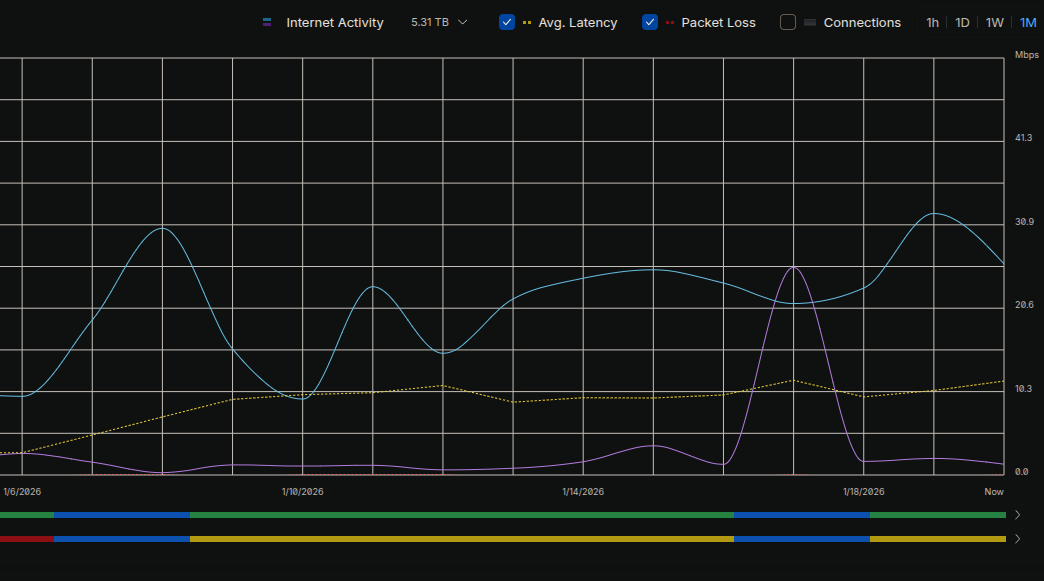
Coax was good. Servers were not responding. Dream Machine dropped off the map. Some weird route work I had started doing (not BGP this time) and realized I never completed was going to be my enemy. But the bigger problem - our ONT had no link to the upstream of our provider. I ended up having to call them up, confirm there was in fact an issue, and have them see what happened. It was the strangest thing, given we have no active construction around us, no raccoons or squirrels that would be digging and chewing cables, or anything causing chaos around. All lines are below ground, so it must be a hardware failure upstream...right?
You'd think so. But after a test was performed by our local ISP, it was found that the cable leading from our home to the box they placed outside broke. It wasn't dug into, it wasn't snapped, it wasn't bent too far...it was about 3-4 inches in the ground and just chose not to work anymore. I joked with the technician, telling him I don't know how this happened and before I had called them up - I had to double check that the internet bill was paid on time. It in fact was. Routers didn't report any packet loss, decay, or latency issues. It simply just dropped off the map. The technician and I went back and forth, trying to figure out how this happened. Did the neighbor run it over? No, it's far too deep underground and they would have had to go pretty far into the yard...without leaving tire marks. Was someone tampering with the line? Camera's don't report anything around the box... Did someone yank the line? Nope, no one touched the ISPs box on the house since they installed it.
Thus - an odd phenomenon. A message delivered from the heavens. "And so declared the Lord, thou shall not have internet today!". Or something.
Now, here's the even stranger timeline of events. I used the time while down to shutdown one of our servers and prepare it for PCI passthrough, allowing us to setup a Suricata virtual machine in Proxmox, pass packets to it via FortiGate Port Mirroring/SPAN, and then act upon it with Wazuh Active Response. First though - we need to see that traffic and have that machine capture it. So, I updated a few things in GRUB, the BIOS, and finally ensured our VM was configured correctly.
And then the host stopped responding on next bootup.
Thus, I spent my next almost 24 hours (off and on, not constant) debugging. Did OpenVSwitch not like the configuration? Is there a restriction to ports mapped to bridges I missed? Have we allowed the VLANs on our Nexus switch? I was pulling my hair out trying to figure out what happened. None of the port names changed, no new software was installed, something was up.
It wasn't until today, after narrowing it down and simplifying our configuration, that I realized there was both a VLAN issue at the switch, but also a configuration issue at the port. Given we dedicate two ports, one for management of the host and another for virtual machine traffic, it can get complicated quick if you're not used to it. I'll provide our latest updates to our networking configuration in hopes that it may help you:
auto lo
iface lo inet loopback
iface enp11s0d1 inet manual
iface enp9s0f1 inet manual
iface enp9s0f2 inet manual
auto enp9s0f0
iface enp9s0f0 inet manual
auto enp9s0f3
iface enp9s0f3 inet manual
auto vmbr0
iface vmbr0 inet static
address 1.2.3.4/32
gateway 1.2.3.5
bridge-ports enp9s0f3
bridge-stp off
bridge-fd 0
auto vmbr1
iface vmbr1 inet static
bridge-ports enp9s0f0
bridge-stp off
bridge-fd 0
source /etc/network/interfaces.d/*
As you can see above, vmbr0 which is attached to enp9s0f3 is our Management port (the only bridge/interface with an IP we set, excluding the loopback interface). This handles only management traffic, where then vmbr1 handles all virtual machine traffic on varied VLANs. From here, we don't need to update or make changes to the same interface, causing outages for everything. That was another mistake I have learned from, hence adopting such a setup.
Finally, this brings me to what I actually planned on doing that day...not dealing with ISP outages.
I've been developing FoxtrotBlue and LinkShare. FoxtrotBlue I made for a friend to host his site and test stuff on my infrastructure. It's a stateless web hosting system using our Kubernetes cluster to make magic happen. I feared such a problem would rear its ugly head sooner then later and well...I spoke too soon on that one. This is where I will be making big changes not only to keep things active, but ensure that they remain active despite bots and malicious traffic.
With our external provider, FranTech, we can provide web hosting and LinkShare services (and more, later on) using their DDoS protected IP addresses. Once we have the ability to as well, we can also set up Anycast, allowing us to route customer traffic to the nearest datacenter FranTech has allowed for us to use, improving speed, increasing redundancy, and reducing our chances of such "ghost-in-the-wire" issues from occurring again.
So, stay tuned and stick around. I'm not stopping now and I want to see to it that these services are brought to the people at fair and reasonable prices - without being extorted and used by providers. There's no need to charge you an arm and a leg to host something simple, not to mention the optimization we can do to ensure we can get more customers in that wish to use our services.
Till next time, nerds.